16 Top Salesforce Integrations (2026)
A practical breakdown of the 16 best Salesforce integrations across enrichment, marketing, sales engagement, communication, and automation. Includes pricing, ratings, limitations, and which teams each integration is best for.
91% of Salesforce customers use at least one AppExchange integration. The marketplace has nearly 6,000 apps and over 13 million total installs. Choosing the wrong ones wastes budget and adds complexity. Choosing the right ones compounds your team’s output.
This guide covers the 16 integrations that deliver the most value across the categories RevOps, sales, and marketing teams actually care about: data enrichment, marketing automation, sales engagement, communication, contract management, workflow automation, and scheduling. Each entry includes pricing, ratings, limitations, and which use case it fits best.
Quick reference: Top integrations by category
| Category | Top Pick | Runner-Up | Budget Option |
|---|---|---|---|
| Data enrichment | Findymail Datacare | ZoomInfo | Apollo.io |
| Marketing automation | Pardot (native) | HubSpot | Mailchimp |
| Sales engagement | Outreach | Salesloft | — |
| Conversation intelligence | Gong | — | — |
| Communication | Slack (native) | — | — |
| E-signatures | DocuSign | PandaDoc | — |
| Workflow automation | Zapier | Make.com | Make.com |
| Scheduling | Calendly | — | — |
| Project management | Jira | Asana | Monday.com |
| Payments | Stripe | — | — |
Data enrichment integrations
Data enrichment is where most Salesforce teams get the biggest return. Bad data costs the average company 15-25% of revenue, and enrichment tools fill the gaps that manual entry can’t.
ZoomInfo
Best for: Mid-market and enterprise teams that need the largest B2B contact database with intent signals.
ZoomInfo maintains 120M+ professional contacts with firmographic, technographic, and intent data. Its native Salesforce integration (available as a managed package on AppExchange) supports two-way sync with Instant Enrich, which appends data the moment a record is created.
Pricing:
- Advanced plan: ~$24,995/year for Sales and Marketing
- Additional users: ~$2,500/year each
- Entry pricing starts around $15,000/year
- Credit-based usage with paid add-ons
What teams actually say: ZoomInfo’s database size is unmatched for US-based B2B companies. But coverage thins outside North America and non-tech verticals. A common pattern on r/salesops and RevOps forums: use ZoomInfo as the primary source, then supplement with Apollo or Cognism for gaps. Multiple G2 reviewers flag that credit-based pricing leads to unexpected top-up costs.
Limitations:
- Coverage drops significantly outside the US
- Credit-based billing makes costs unpredictable
- Setup complexity (requires admin time to configure field mappings)
- No free tier or trial without sales engagement
For a detailed setup walkthrough, see the ZoomInfo implementation guide.
Findymail Datacare
Best for: Teams that need ongoing CRM hygiene: enrichment, cleaning, deduplication, job change tracking, and real-time email verification in one system.
This is where the contrast with ZoomInfo matters most. ZoomInfo pushes data from its database into your CRM. That’s it. If the data was stale when it left ZoomInfo’s servers, it’s stale when it lands in Salesforce. And ZoomInfo doesn’t touch the mess that’s already there. Duplicates, bounced emails, contacts who changed jobs six months ago. You’re paying $25K/year to add data on top of a broken foundation.
Findymail’s Datacare takes a different approach. Instead of just appending fields, it continuously maintains the entire CRM: filling gaps, cleaning invalid emails, merging duplicates as they appear, and tracking when contacts change jobs so records update automatically. Every email is verified in real time with a guaranteed <5% bounce rate. Independent testing by Clay ranked Findymail #1 for email accuracy with 23% more valid emails than competitors.
What Datacare does that ZoomInfo doesn’t:
- Verifies every email in real time before it touches your CRM, rather than pulling from a static database
- Detects job changes. When a champion leaves a company, Datacare flags it and updates records automatically (5x higher conversion on job changes)
- Catches and merges duplicates as they enter the CRM, not after they’ve already polluted your reports
- Removes invalid emails, fixes outdated records, fills missing fields. A 50%+ reduction in missing data is typical.
- Defaults to “No Override,” only filling empty fields unless you explicitly allow overwrites. Full preview mode and rollback built in.
Pricing: Starts at $99/month for 5,000 credits (email finder + verifier). CRM enrichment (Datacare) is an add-on with custom pricing. Book a CRM health check to see what’s broken before committing.
G2 rating: 4.9/5. Ranked #1 in email finding by Clay’s independent benchmarks.
What teams actually say: One reviewer (Cody Carnes, G2) wrote: “I’ve ran multiple tests for emails, Findymail VS Clay.com’s waterfall enrichment. Findymail beats them, every single time.” A CRM Marketing Manager at BePerpetual reported that “more than 80% of our database has been cleaned” after implementing Datacare, with enrichment running automatically in the background.
Limitations:
- Datacare pricing requires a demo (no self-serve for the CRM add-on)
- Smaller raw contact database than ZoomInfo. Findymail wins on accuracy, not volume.
- Newer product compared to ZoomInfo’s established enterprise presence
Findymail vs ZoomInfo: the real tradeoff
| ZoomInfo | Findymail Datacare | |
|---|---|---|
| Approach | Push from static database | Continuous enrichment + cleaning |
| Email accuracy | Database-dependent, no real-time verification | <5% bounce guarantee, real-time verified |
| CRM cleaning | No | Yes (deduplication, invalid email removal) |
| Job change tracking | No | Yes (automatic detection and record updates) |
| Data freshness | Database snapshots | Real-time verification on every record |
| Pricing | ~$15,000-25,000/year | Starts at $99/month + Datacare add-on |
| Best for | Large teams needing volume + intent data | Teams that need their CRM data to actually be trustworthy |
If your primary problem is “we need more contacts,” ZoomInfo has the bigger database. If your problem is “our CRM is full of garbage and reps don’t trust it,” Findymail Datacare is the better investment.
Cognism
Best for: Teams selling into Europe or needing GDPR-compliant enrichment with verified phone numbers.
Cognism’s differentiator is phone-verified mobile numbers and compliance-by-design data. Their prebuilt Salesforce connectors support two-way sync with bulk export and automatic data enrichment on record creation.
Pricing: Custom pricing with flat platform fee + per-user licensing. Starts at ~$1,000+/month for small teams. No free plan.
G2 rating: 4.5/5 (~1,200 reviews)
What teams actually say: Cognism consistently wins in head-to-head comparisons for European data coverage. The phone-verified mobiles are the main draw: when Cognism says a number is verified, reps connect at noticeably higher rates. The tradeoff is cost. Cognism is more expensive than Apollo for comparable features.
Limitations:
- Higher cost than Apollo or Lusha
- Smaller overall database than ZoomInfo
- Custom pricing only (no self-serve)
Apollo.io
Best for: Startups and SMBs that need enrichment + outbound in a single, affordable platform.
Apollo combines a 270M+ contact database with built-in email sequences, a dialer, and CRM sync. It’s the most cost-effective all-in-one option for teams that don’t want to manage multiple tools.
Pricing:
- Free plan available (limited credits)
- Basic: $49/user/month (annual)
- Professional: $79/user/month (annual)
- Organization: $119/user/month (annual)
What teams actually say: Apollo’s price-to-feature ratio is hard to beat. But data accuracy is a recurring concern in Reddit threads. Phone numbers and emails have higher bounce rates compared to ZoomInfo or Cognism. One r/sales commenter summarized it as: “Apollo data is good enough for volume plays, but verify before high-value outreach.”
Limitations:
- Data accuracy lags behind ZoomInfo and Cognism
- Phone number coverage weaker than Cognism’s verified data
- Support responsiveness flagged by some G2 reviewers
For more on Apollo setup, see the Apollo implementation guide.
LinkedIn Sales Navigator
Best for: Account-based selling and warm introductions through existing LinkedIn networks.
Sales Navigator layers advanced search, lead recommendations, and AI-powered insights on top of LinkedIn’s 1B+ member network. The Advanced Plus tier adds direct Salesforce sync, logging profile views, InMails, and connection requests to CRM records automatically.
Pricing:
- Core: $99.99/month
- Advanced: $149.99/month
- Advanced Plus: custom enterprise pricing (~$1,600/year/seat)
What teams actually say: Sales Navigator is widely considered essential for enterprise AE teams running account-based plays. TeamLink, which shows warm paths to prospects through colleagues’ networks, is the feature users cite most. The main complaint is cost stacking: you’re paying for LinkedIn Premium + Sales Navigator + Salesforce licenses.
Limitations:
- Salesforce sync requires Advanced Plus (enterprise pricing)
- ROI is harder to quantify than enrichment tools
- Data stays within LinkedIn’s ecosystem
Enrichment strategy: Why waterfall beats single-source
No single enrichment provider covers every record. The industry has moved toward waterfall enrichment, querying multiple providers in sequence until data is found.
Try ZoomInfo for email + phone
    ↓ (if no result)
Try Cognism for phone verification
    ↓ (if no result)
Try Apollo as fallback
    ↓ (if no result)
Try Dropcontact or Hunter
Tools like Clay orchestrate this automatically. The result: 85-95% coverage rates versus 60-70% from any single provider. See waterfall enrichment for the full setup.
Marketing automation integrations
Pardot (Marketing Cloud Account Engagement)
Best for: Salesforce-committed organizations that want the tightest possible CRM-to-marketing sync.
Pardot is Salesforce’s native B2B marketing automation platform. The key advantage: 2-4 minute sync cycles with Salesforce (versus 15-30 minutes for third-party tools), plus native access to Einstein AI for predictive lead scoring.
Pricing: Starts at $1,250/month. Advanced analytics (B2B Marketing Analytics, Einstein Attribution) require separate licenses.
What teams actually say: Pardot wins on integration depth. Leads, campaigns, opportunities, and engagement data sync natively because it’s the same platform. Capterra reviewers note that teams reach proficiency in weeks rather than the months required for Marketo. The tradeoff: less flexibility than CRM-agnostic alternatives, and the add-on costs for analytics are frustrating.
Limitations:
- Locked into the Salesforce ecosystem
- Advanced analytics features require additional licenses
- Less flexible than Marketo for complex multi-channel campaigns
HubSpot Marketing Hub
Best for: Teams that want strong marketing automation with a gentler learning curve, especially if some team members also use HubSpot CRM.
HubSpot’s bidirectional Salesforce integration syncs contacts, companies, deals, and engagement data between the two platforms. It consistently earns higher ease-of-use scores than Salesforce’s native tools (8.6 vs 7.7 on G2).
Pricing:
- Free CRM with basic features
- Starter: $15/seat/month
- Professional: $800/month (3 seats included)
- Enterprise: $3,600/month (5 seats included)
G2 rating: 4.4/5 (12,559 reviews for Sales Hub)
What teams actually say: HubSpot is the most common “marketing team uses HubSpot, sales team uses Salesforce” setup. The integration works but requires careful field mapping to avoid sync conflicts. G2 reviewers rate HubSpot’s content calendar (9.5/10), email tools, and reporting as standouts. The downside: HubSpot gets expensive at scale, and the Salesforce sync occasionally introduces duplicates if not configured correctly. See HubSpot duplicate management for how to prevent that.
Limitations:
- Fewer total integrations than Salesforce (1,840 vs 5,246)
- Sync conflicts can create duplicates if not carefully mapped
- Professional/Enterprise pricing escalates quickly
Mailchimp
Best for: Teams that need email marketing without the complexity (or cost) of full marketing automation.
Mailchimp’s Salesforce integration syncs subscriber lists, campaign activity, and engagement data bidirectionally. It’s the most affordable email marketing option with native Salesforce support.
Pricing: $25/month per Salesforce org (official integration). Third-party connectors like ChimpConnect start at $39/month.
AppExchange rating: Consistently rated above 4.5 stars.
Limitations:
- Email marketing only (no landing pages, lead scoring, or ABM)
- Sync can be delayed compared to native tools
- Limited automation compared to Pardot or HubSpot
Sales engagement and conversation intelligence
Outreach
Best for: Sales teams running structured multi-channel outbound cadences at scale.
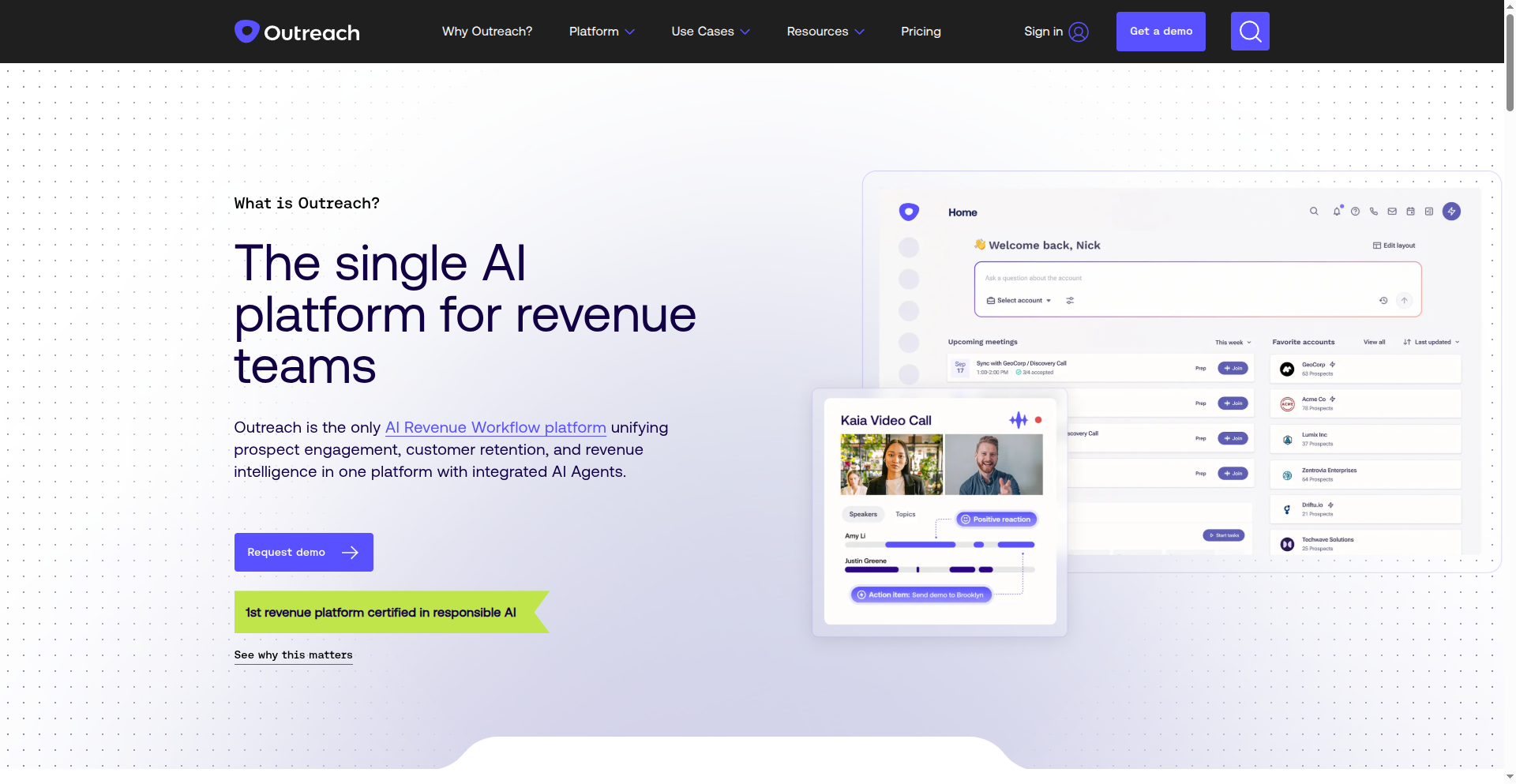
Outreach automates email sequences, call tasks, and LinkedIn touches with conditional logic and A/B testing. The Salesforce integration syncs leads, contacts, opportunities, and activities bidirectionally in real time.
Pricing: ~$100-160/user/month (annual licensing, no public pricing). One-time implementation fee starting ~$1,000.
Ratings:
- G2: 4.3/5 (3,398 reviews)
- Capterra: 4.4/5 (291 reviews)
- Trustpilot: 1.8/5
What teams actually say: Outreach is the market leader for a reason. Multi-channel sequences with conditional branching are the best available. But the Trustpilot score (1.8/5) reveals a pattern: customer support and contract flexibility are pain points. Multiple G2 reviewers flag opaque pricing and steep learning curves. One G2 reviewer noted: “The tool is powerful but took our team three months to fully onboard.”
Limitations:
- Expensive with opaque pricing
- Complex implementation (plan for 4-8 weeks)
- Poor Trustpilot scores suggest support issues
- Steep learning curve for full feature utilization
Gong
Best for: Revenue teams that need AI-powered conversation intelligence, deal analytics, and coaching insights.
Gong records, transcribes, and analyzes sales conversations using AI, then syncs insights to Salesforce records. It automatically matches conversation data to contacts and populates CRM fields with AI-generated deal health scores, competitive mentions, and next steps.
Pricing: $120-250/user/month plus mandatory platform fees ($5,000-$50,000) and implementation charges ($15,000-$65,000). Contracts typically include multi-year locks with 5-15% auto-renewal uplifts.
G2 rating: 4.8/5 (6,455 reviews). #1 in Revenue Operations & Intelligence.
What teams actually say: Gong’s G2 score (4.8/5 with 6,455 reviews) is among the highest in all of B2B SaaS. Reviewers consistently praise the AI insights and coaching capabilities. But the pricing structure draws criticism, especially from SMB teams. As one RevOps leader noted on a forum: “Gong is incredible for what it does, but budget-wise, it’s a boardroom conversation, not a team lead decision.”
Limitations:
- Very expensive, especially first year with implementation
- Complex deployment (8+ weeks recommended)
- Dashboard volume can overwhelm new users
- Multi-year contracts with early termination penalties (50-100%)
Communication
Slack
Best for: Every Salesforce team. Period.
Salesforce acquired Slack in 2021, and it shows. The integration is the deepest of any messaging tool: real-time CRM notifications, record search and sharing, Sales Cloud and Service Cloud modules, and AI-generated summaries all work natively.
The biggest change in 2025: Slack is now free for all Salesforce customers with basic CRM integrations.
Pricing (updated June 2025):
- Free: basic Salesforce integrations (available to all Salesforce customers)
- Pro: AI-generated huddle notes and channel summaries
- Business+: $15/user/month. Advanced AI, premium Salesforce features (revenue forecasting, deal swarming, approval coordination)
- Enterprise+: enterprise search, premium AI, enhanced security
What teams actually say: The Salesforce-Slack integration is widely cited as one of the best outcomes of the acquisition. Notifications for opportunity stage changes, task assignments, and deal updates appear directly in Slack channels. A common setup: dedicated channels per account or deal stage, with automated Salesforce triggers posting updates. Users on r/salesforce flag one downside: notification volume can get overwhelming without careful channel configuration.
Limitations:
- Free plan limits message history to 90 days
- Notification overload without proper channel management
- Business+ price increased from $12.50 to $15/user/month in 2025
Contract management and e-signatures
DocuSign
Best for: Any team that sends contracts, proposals, or agreements from Salesforce.
DocuSign is the default e-signature choice on AppExchange for a reason: 4,645+ reviews, 3,000+ five-star ratings, and 1 billion+ total signers. The integration lets you send, track, and manage agreements directly from Salesforce records.
Pricing:
- eSignature plans: $10/month (Personal, 5 envelopes) to $40/month/user (Business Pro)
- Salesforce integration add-on: $30/user/month
- API plans: from $600/year
AppExchange rating: 4.55/5 (4,645+ reviews)
What teams actually say: DocuSign dominates because of network effects. Nearly every professional has signed a DocuSign document. The Salesforce integration is mature and well-documented. The main complaint: cost stacking. By the time you add the base plan ($40/month), Salesforce add-on ($30/month), and implementation, you’re looking at $70+/user/month before implementation services ($5,000-$20,000).
Alternatives worth evaluating:
- PandaDoc combines document creation + e-signatures + CPQ in one tool. More user-friendly, less deep CLM capabilities.
- Conga has the deepest CLM integration on AppExchange. Best for enterprise teams needing document generation (Conga Composer) + e-signatures + contract lifecycle management in one platform.
Workflow automation
Zapier
Best for: Non-technical teams that need to connect Salesforce with apps that don’t have native integrations.
Zapier connects Salesforce with 8,000+ apps through trigger-action workflows (called “Zaps”). The AI-powered Copilot can suggest and build workflows automatically.
Pricing:
- Free: 100 tasks/month, 2-step Zaps
- Professional: $19.99/month (annual). 750 tasks, multi-step Zaps.
- Team: $69/month (annual). 25 users, shared folders.
- Enterprise: custom pricing
Note: Salesforce is classified as a “premium app,” so it requires the Professional plan or higher.
Ratings:
- Capterra: 4.7/5 (3,000+ reviews)
- G2: 4.5/5 (1,400+ reviews)
What teams actually say: Zapier is the go-to for simple automations. Where it falls short: complex workflows with data transformation, looping, or error handling. For those, Make.com (formerly Integromat) is the power-user alternative. Make starts at $9/month for 10,000 operations, roughly 30x more cost-effective per operation than Zapier.
| Feature | Zapier | Make.com |
|---|---|---|
| Apps | 8,000+ | 2,400+ |
| Ease of use | Easier | More technical |
| Cost per operation | Higher | ~30x cheaper |
| Complex workflows | Limited | Strong |
| Error handling | Basic | Detailed |
| Best for | Simple automations | Complex data workflows |
Scheduling
Calendly
Best for: Sales teams that want automated meeting booking with CRM record creation.
Calendly auto-creates Salesforce leads, contacts, and opportunities when meetings are booked. The Notetaker feature (AI-powered) auto-logs meeting summaries and action items back to Salesforce records.
Pricing:
- Free: basic calendar integrations
- Standard: $10/seat/month
- Teams: $16/seat/month. CRM integrations (Salesforce, HubSpot).
- Enterprise: $15,000+/year. Salesforce lookup, advanced routing, SSO.
Note: Salesforce integration requires the Teams plan ($16/seat/month) or higher.
G2 rating: 4.7/5
Limitations:
- Salesforce integration locked behind Teams plan
- Enterprise features (lead routing by Salesforce assignment rules) require $15K+/year plan
- Limited customization compared to Chili Piper or RevenueHero for complex routing
Project management
Jira
Best for: Teams that need to connect customer-facing Salesforce data with engineering workflows.
Jira doesn’t have a single official Salesforce integration. Instead, there are several AppExchange connectors:
- zAgileConnect is the most advanced, with enterprise-grade bi-directional sync
- Appfire Connector creates and links Jira issues from Salesforce automatically
- Exalate does AI-assisted bidirectional sync (~$3,000/year for 10 users)
Jira Cloud pricing: Free for up to 10 users, then from $2.66/user/month.
The typical use case: a support rep creates a Jira ticket from a Salesforce case, the engineering team works on it, and status updates flow back to the Salesforce record automatically.
Pricing comparison: What the full stack actually costs
Most teams don’t need all 15 integrations. Here’s what a typical mid-market stack looks like for a 20-person sales team:
| Integration | Monthly Cost (20 users) | Annual Cost |
|---|---|---|
| ZoomInfo (enrichment) | ~$2,083 | ~$25,000 |
| Outreach (sales engagement) | ~$2,400 | ~$28,800 |
| Slack Business+ | $300 | $3,600 |
| DocuSign + SF add-on | $1,400 | $16,800 |
| Calendly Teams | $320 | $3,840 |
| Zapier Team | $69 | $828 |
| Total | ~$6,572 | ~$79,068 |
Budget alternative stack (same categories, lower cost):
| Integration | Monthly Cost (20 users) | Annual Cost |
|---|---|---|
| Findymail Datacare (enrichment + cleaning) | ~$500 | ~$6,000 |
| Salesloft (sales engagement) | ~$2,000 | ~$24,000 |
| Slack Free | $0 | $0 |
| PandaDoc | ~$600 | ~$7,200 |
| Calendly Standard | $200 | $2,400 |
| Make.com | $9 | $108 |
| Total | ~$4,389 | ~$52,668 |
That’s a $26,400/year difference. Whether the premium stack is worth it depends on your team size, deal complexity, and data accuracy requirements.
How to evaluate integrations for your team
Not every team needs the same stack. Here’s a framework for deciding:
Start with your biggest bottleneck. If reps spend 30 minutes per lead researching contacts, start with enrichment. If deals stall at the proposal stage, start with DocuSign or PandaDoc. If marketing and sales can’t agree on lead quality, start with Pardot or HubSpot.
Check native vs. third-party. Salesforce has acquired or built native versions of several integration categories (Slack for communication, Pardot for marketing, Einstein for AI). Native tools have tighter sync and fewer maintenance headaches. Third-party tools often have more features.
Test data quality before committing. For enrichment tools especially, run a sample of 500-1,000 records through a trial before signing an annual contract. Coverage rates vary wildly by industry, geography, and company size. See data provider accuracy testing for the methodology.
Factor in total cost of ownership. The license fee is never the full cost. Add implementation time, admin maintenance, training, and the cost of the inevitable sync issues. A $25,000/year tool that “just works” with Salesforce may be cheaper than a $15,000/year tool that requires a dedicated admin.
What changed in 2025-2026
Several major shifts affect which integrations are worth evaluating:
- Salesforce acquired Informatica (November 2025), adding data catalog, integration, governance, quality, and Master Data Management directly to the Salesforce platform. This may reduce the need for third-party data quality tools over time.
- 60+ MCP tools launched. Salesforce now has a universal integration port for AI agents to securely access external files, databases, and APIs.
- Slack is free for all Salesforce customers. No reason not to use it for basic CRM notifications.
- Clearbit is now HubSpot-only. If you relied on Clearbit’s API for Salesforce enrichment, you need an alternative. Clearbit (now Breeze Intelligence) has no native Salesforce integration since the HubSpot acquisition.
- API pricing changes (February 2025). New charges for Salesforce API access are increasing integration costs for some software partners, which may get passed to customers.
- Agentforce partnerships with Google (Gemini), OpenAI (ChatGPT), and Stripe are reshaping how AI agents interact with Salesforce data.
FAQ
What is the most popular Salesforce integration? Slack, DocuSign, and Zapier consistently rank among the most installed apps on AppExchange. For data enrichment specifically, ZoomInfo and LinkedIn Sales Navigator have the largest install bases among enterprise teams.
Do I need a Salesforce integration for marketing automation? If you’re fully committed to Salesforce, Pardot (Marketing Cloud Account Engagement) is the native choice with 2-4 minute sync cycles. If your marketing team prefers a standalone tool, HubSpot Marketing Hub has the most mature Salesforce integration among third-party options.
Which enrichment tool is best for Salesforce? It depends on your problem. If your CRM data is unreliable and you need ongoing cleaning + enrichment + deduplication, Findymail Datacare is the most complete solution. ZoomInfo for raw volume and intent data at enterprise scale. Cognism for European markets or when verified phone numbers matter. Apollo for budget-conscious teams. Most mature teams use a waterfall approach combining 2-3 providers.
Is Clearbit still available for Salesforce? No. HubSpot acquired Clearbit in 2023 and rebranded it as Breeze Intelligence in 2024. It now only works natively inside HubSpot. Salesforce teams need alternatives like ZoomInfo, Cognism, or Apollo.
How much do Salesforce integrations cost per year? A typical mid-market stack (enrichment + sales engagement + communication + e-signatures + scheduling + automation) runs $50,000-$80,000/year for a 20-person team. Budget alternatives can cut that to $30,000-$55,000/year with tradeoffs in data quality and features.
What’s the best free Salesforce integration? Slack (free for all Salesforce customers since June 2025), Apollo.io (free tier with limited credits), and Zapier (100 tasks/month free, but Salesforce requires a paid plan).
Related guides
- Salesforce Data Enrichment — Native and third-party enrichment options
- ZoomInfo Implementation Guide — ZoomInfo + Salesforce setup
- Apollo Implementation Guide — Apollo + Salesforce setup
- Clay 101 — Understanding data orchestration
- Waterfall Enrichment — Multi-provider enrichment strategy
- Clay + CRM Integration Patterns — Connecting Clay to Salesforce
- Data Provider Accuracy Testing — How to evaluate enrichment tools
- B2B Data Decay Problem — Why re-enrichment matters
- Enrichment ROI Calculation — Measuring the value of integrations
- Salesforce Duplicate Rules — Prevent duplicates from integrations
- 2026 RevOps Data Stack — Full stack architecture